For flight controllers including PIX6, PIXHAWK, CrossRace Pro, CrossRace, CrossFlight-CE, CrossFlight, and Mini Pix installed on helicopters, how to configure the tail rotor?
There are several ways to control the tail rotor to maintain yaw stabilization and provide yaw control, and each has a unique setup. Search H_TAIL_TYPE in the Full Parameter List. The H_TAIL_TYPE parameter is used to specify the method for controlling the tail rotor. A list of available tail types is given below:
1. Servo Only: ArduPilot will supply the tail rotor stabilization like a tail rotor gyro and control the pitch of the tail rotor blades. As shown in the figure below, select Servo Only in the drop-down menu to configure it to use only servo control.
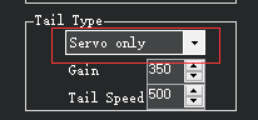

2. Servo with External Gyro: ArduPilot will output yaw demands without direct yaw attitude stabilization which is provided via an external gyro. As shown in the figure below, select Servo with External Gyro in the Tail Type drop-down menu to configure the tail servo control with an external gyro.
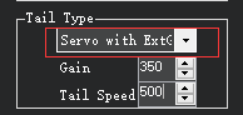

3. Direct Drive Variable Pitch (DDVP): The motor drives the variable pitch, and the control system consists of a servo and a motor. The tail rotor is driven by the motor, and the ESC of the motor is controlled by ArduPilot. Yaw is controlled by the tail rotor pitch servo. As shown in Figure 5 below, select Direct Drive Variable Pitch (DDVP) in the Tail Type drop-down menu to configure it to use motor-driven variable pitch to control.
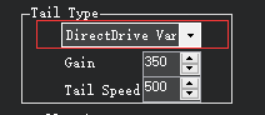

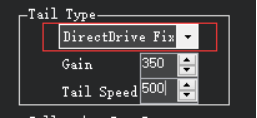
4. Direct Drive Fixed Pitch: The motor drives a fixed pitch. The tail rotor is driven by the motor whose ESC is controlled by ArduPilot to maintain yaw stability and yaw direction. As shown in the figure below, select Direct Drive Fixed Pitch Clockwise (DDFP CW) in the drop-down menu to configure motor drive fixed pitch to control.

Tail rotor Setup (With ArduPilot firmware and Mission Planner 1.3.80)
There are several ways to control the tail rotor to maintain yaw stabilization and provide yaw control, and each has a unique setup. Search H_TAIL_TYPE in the Full Parameter List. The H_TAIL_TYPE parameter is used to specify the method for controlling the tail rotor. A list of available tail types is given below:
1. Servo Only: ArduPilot will supply the tail rotor stabilization like a tail rotor gyro and control the pitch of the tail rotor blades. As shown in Figure 1 below, select Servo Only in the Tail Type drop-down menu to configure it to use only servo control. As shown in Figure 2 below, set the parameter SERVOx_FUNCTION to Motor4 to control the tail servo. (The default output channel is channel 4.)
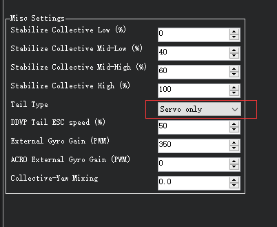
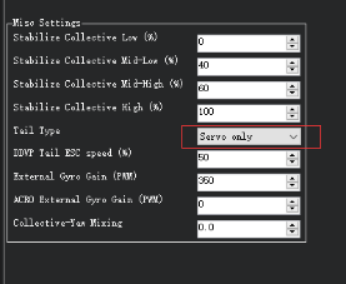
Figure 1 Select Servo Only
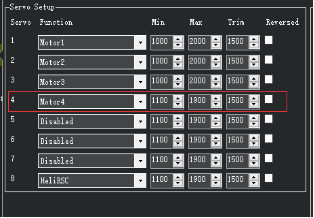

Figure 2 Set Output Channel
2. Servo with External Gyro: ArduPilot will output yaw demands without direct yaw attitude stabilization which is provided via an external gyro. As shown in Figure 3 below, select Servo with External Gyro in the Tail Type drop-down menu to configure the tail servo control with an external gyro. As shown in Figure 4 below, set the parameter SERVOx_FUNCTION to Motor4 to control the tail servo. (The default output channel is channel 4.)
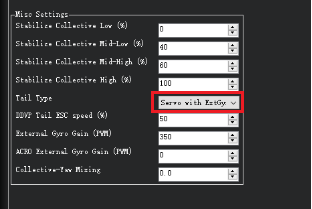
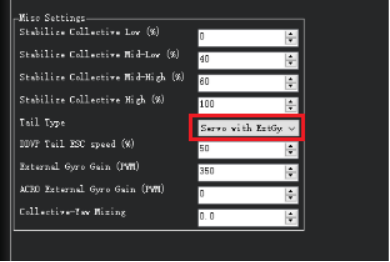
Figure 3 Select Servo with External Gyro

Figure 4 Set Output Channel
3. Direct Drive Variable Pitch (DDVP): The motor drives the variable pitch, and the control system consists of a servo and a motor. The tail rotor is driven by the motor, and the ESC of the motor is controlled by ArduPilot. Yaw is controlled by the tail rotor pitch servo. As shown in Figure 5 below, select Direct Drive Variable Pitch (DDVP) in the Tail Type drop-down menu to configure it to use motor-driven variable pitch to control. As shown in Figure 6 below, set the parameter SERVOx_FUNCTION to Motor4 to control the tail rotor pitch servo (The default output channel is channel 4). Because Mini Pix has only channels, channel 5 needs to be set to "HeliTailRSC" to control the tail motor. (The default output channel is channel 7.)

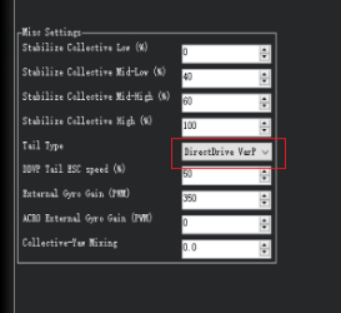
Figure 5 Select Direct Drive Variable Pitch (DDVP)

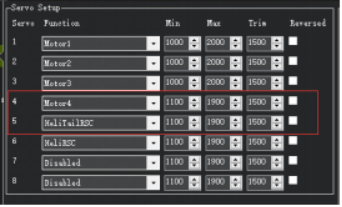
Figure 6 Set Output Channel
4. Direct Drive Fixed Pitch Clockwise (DDFP CW): The tail rotor is driven by a motor whose ESC is controlled by ArduPilot to maintain yaw stability and yaw direction. Used with clockwise rotating main rotors, when viewed from above. As shown in Figure 7 below, select Direct Drive Fixed Pitch Clockwise (DDFP CW) in the Tail Type drop-down menu to configure the clockwise motor drive fixed pitch to control. As shown in Figure 8 below, set the parameter SERVOx_FUNCTION to "Motor4" to control the tail motor. (The default output channel is channel 4.)
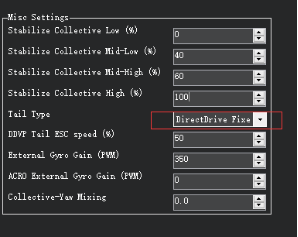
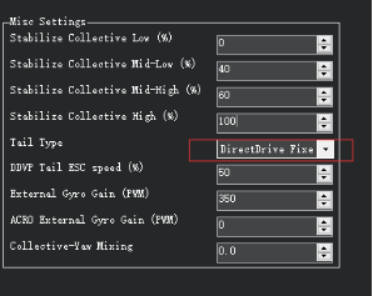
Figure 7 Select Direct Drive Fixed Pitch Clockwise (DDFP CW)
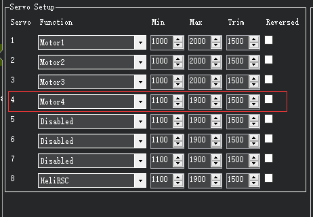
Figure 8 Set Output Channel
5. Direct Drive Fixed Pitch Counter-Clockwise (DDFP CCW): The tail rotor is driven by a motor whose ESC is controlled by ArduPilot to maintain yaw stability and yaw direction. Used with counter-clockwise rotating main rotors, when viewed from above. As shown in Figure 9 below, select Direct Drive Fixed Pitch Clockwise (DDFP CW) in the Tail Type drop-down menu to configure counterclockwise motor drive fixed pitch to control. As shown in Figure 10 below, set the parameter SERVOx_FUNCTION to "Motor4" to control the tail motor. (The default output channel is channel 4.)

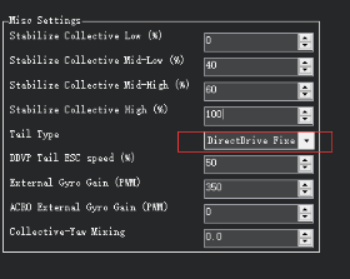
Figure 9 Select Direct Drive Fixed Pitch Counter-Clockwise (DDFP CCW)
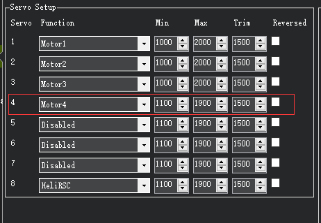

Figure 10 Set Output Channel